
Virtual Ride-Alongs for Field and Floor Sales Teams
Coach reps on in-person conversations without being there, with each one scored in about two minutes and paired with a drafted follow-up.
Get the mobile app
Trusted by teams like Affinex Capital, #48 on the 2026 Inc. 5000.
What is a virtual ride-along?
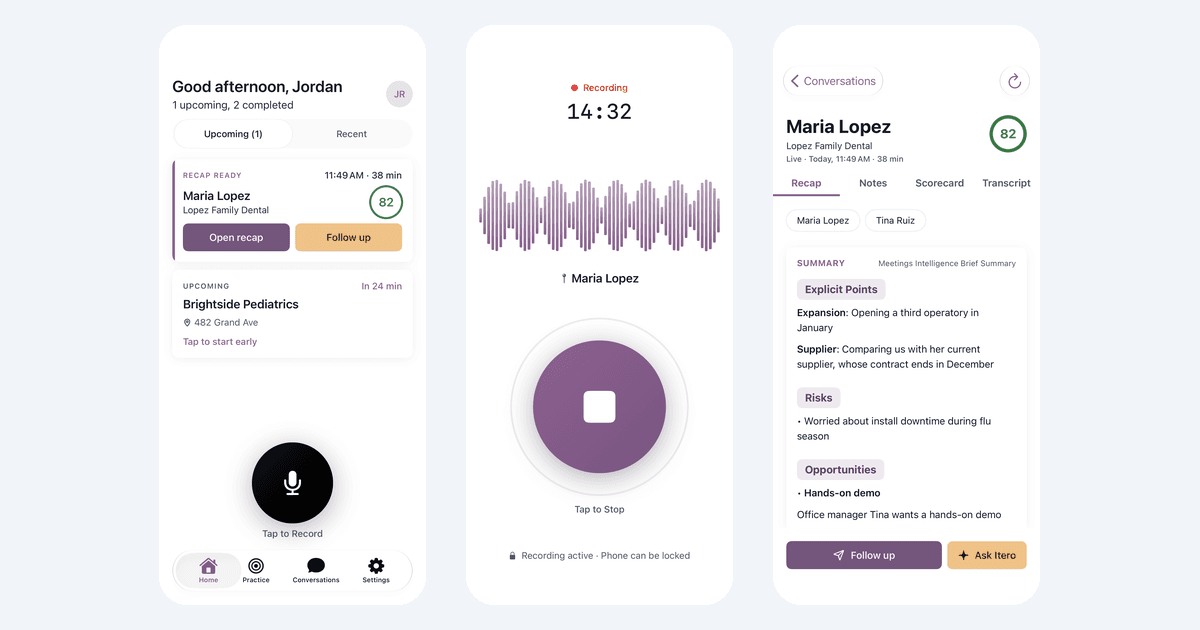
A virtual ride-along is a manager's review of a rep's in-person sales or service conversation, recorded on the rep's phone with everyone's consent, so the manager can coach without being in the room. With Itero, reps record in the Itero mobile app and each conversation is scored against the team's own scorecard in about two minutes.
How a virtual ride-along works
- Step 1
Confirm consent
Recording can't start until the rep confirms everyone present agreed, and Itero keeps a timestamped record. The app never records automatically.
- Step 2
Record with one tap
Reps record at a kitchen table, a client's office, a dealership lot or a showroom floor. Recording keeps going if the screen locks or a call comes in.
- Step 3
Scored in about two minutes
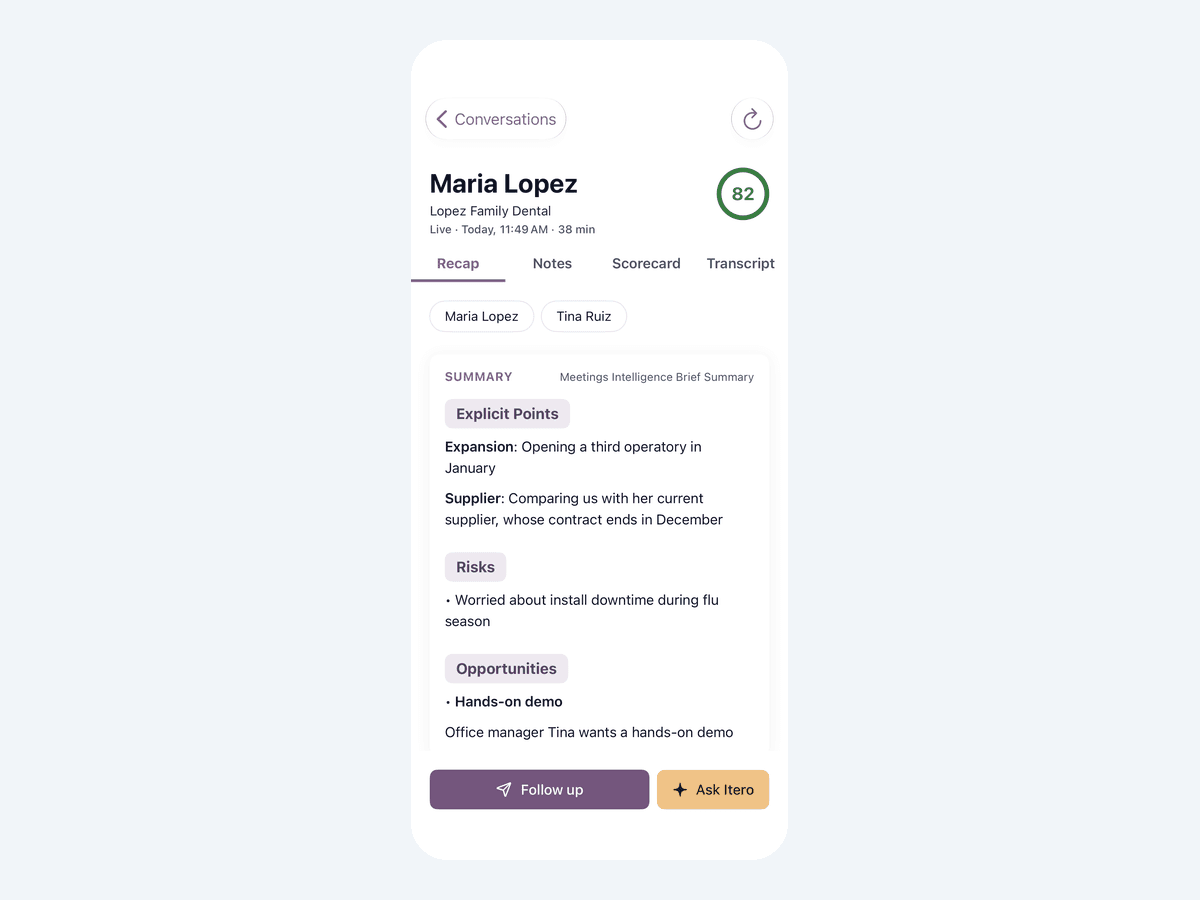
The rep and manager get a recap, a scorecard and the full transcript with speakers labeled, plus a drafted follow-up to send by email, text or WhatsApp.
- Step 4
Practice what it exposes
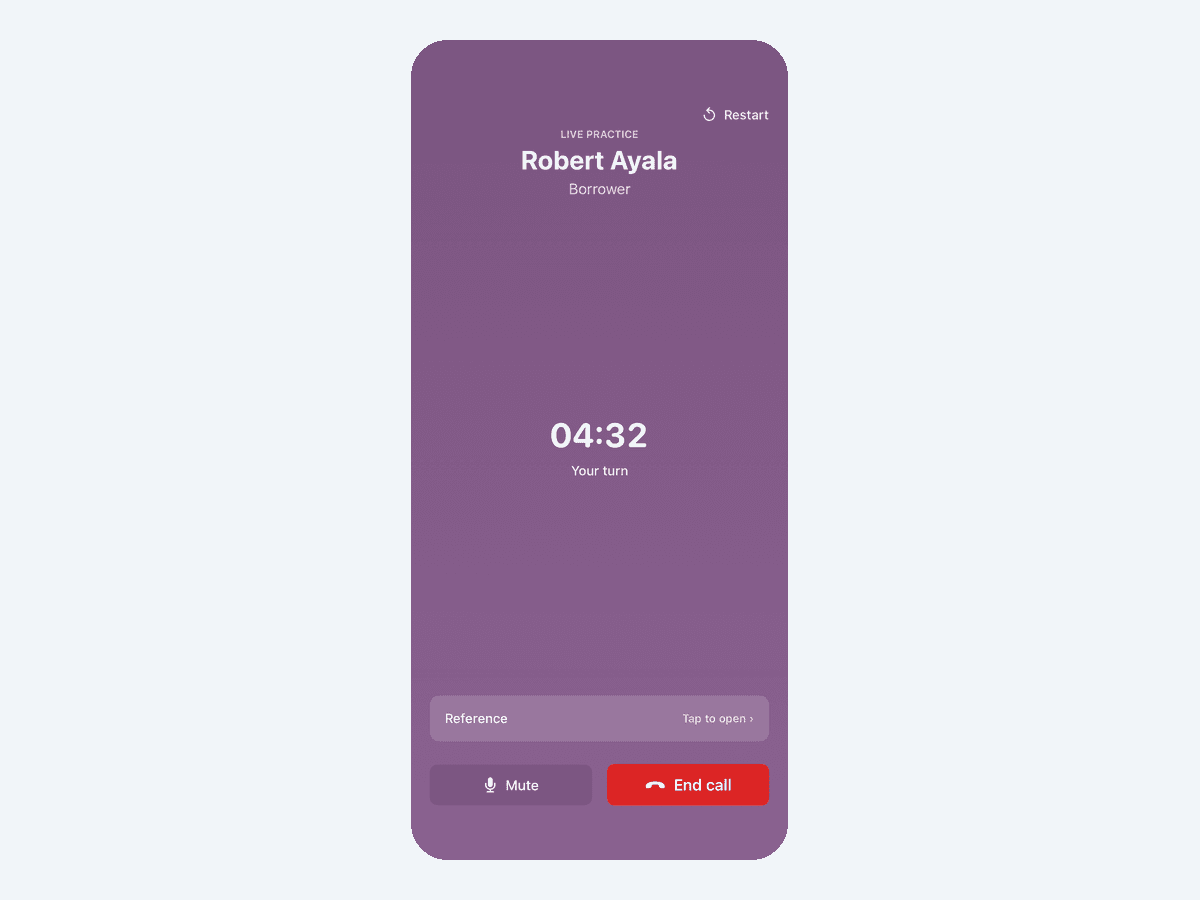
Reps practice the skills a ride-along exposes with AI roleplay in the same app, scored on the same scorecards as their live calls.
See the mobile app in action
A walkthrough of the Itero mobile app for field teams: record an in-person meeting with consent, get notes, a summary, next steps and a drafted follow-up, ask about any moment, see how the meeting went, and practice with an AI customer.
What the video shows
Never forget what you said during a meeting
The Itero mobile app takes notes, summarizes and remembers every meeting for you
Your day at a glance
Today's meetings, and summaries that are ready to read.
Tap the mic when the meeting starts
Confirm everyone agreed to be recorded.
It takes notes for you
Put your phone away and focus on the customer. The app listens and writes it all down.
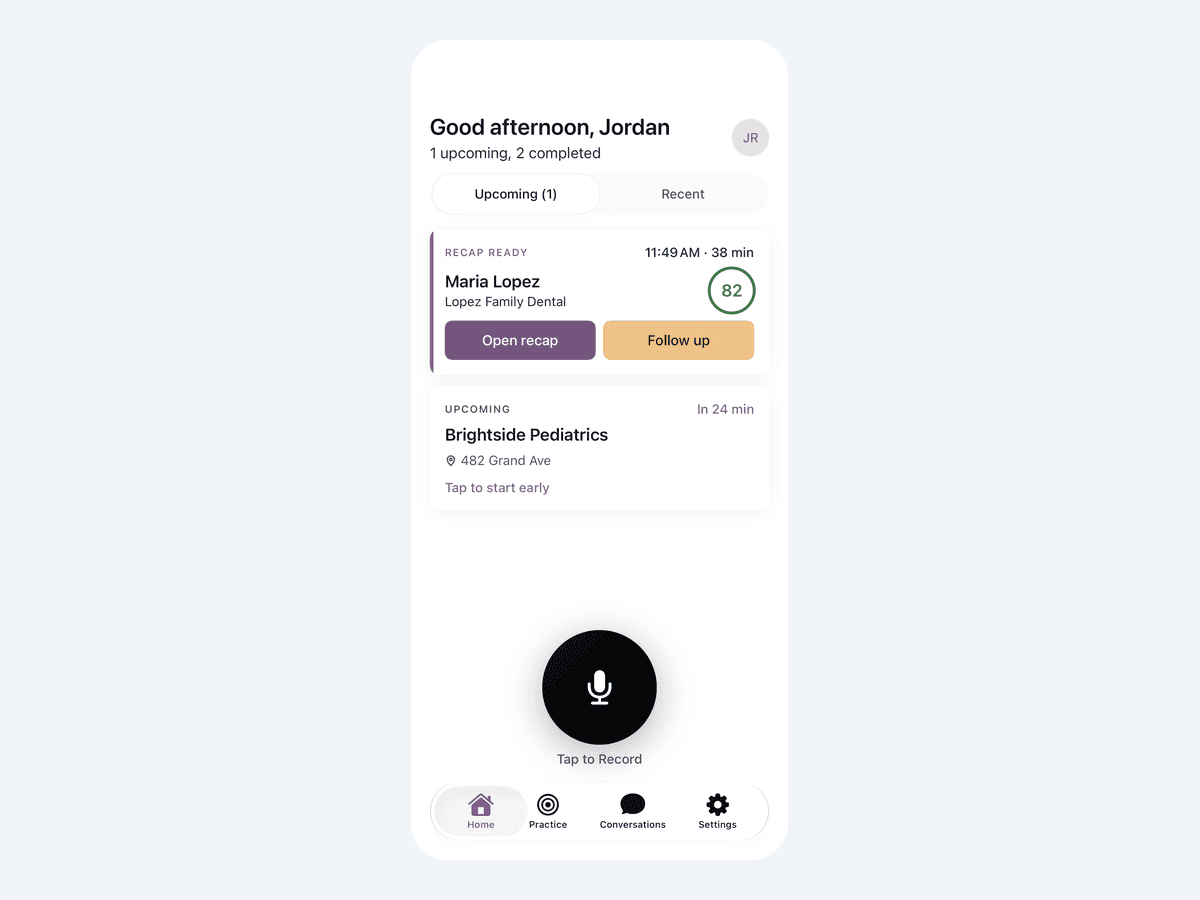
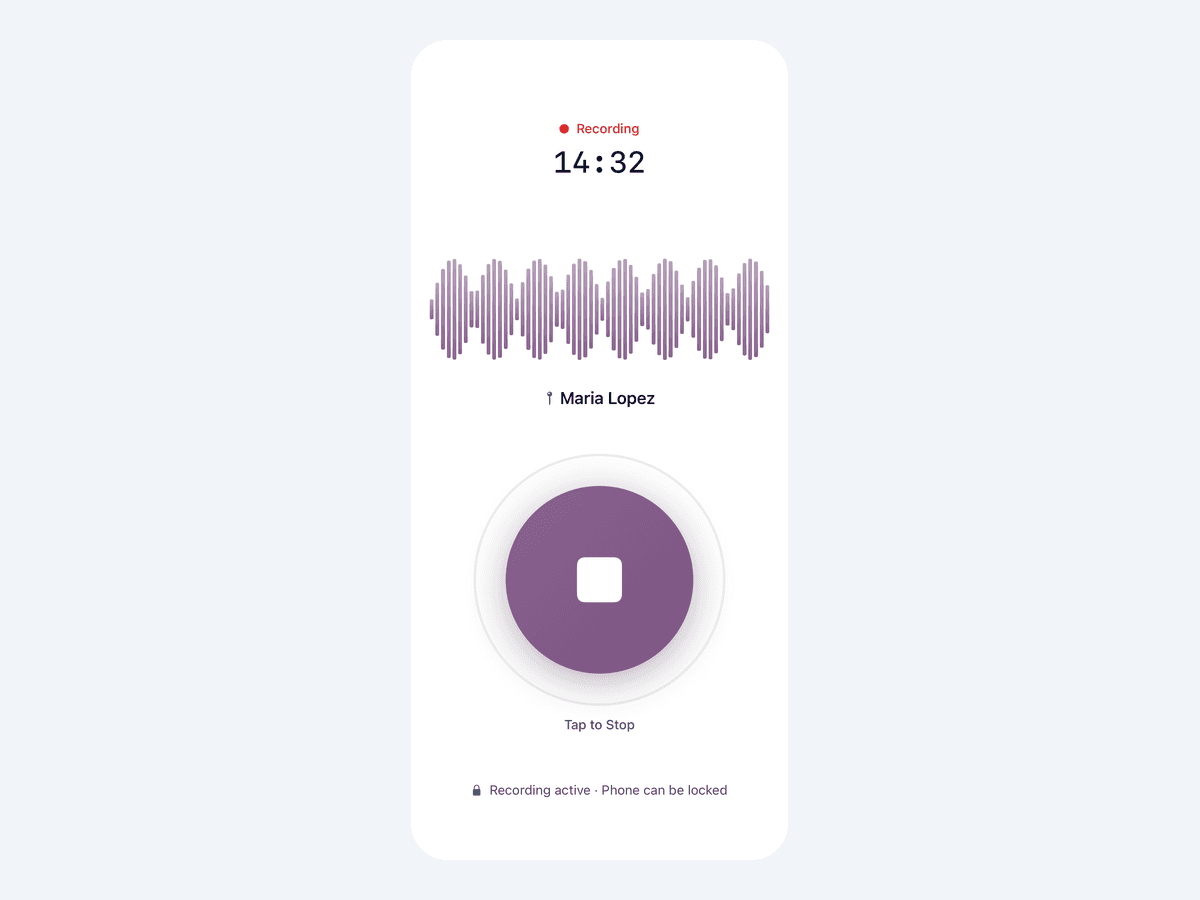
Tap Stop when you're done
Recording keeps going even with the screen locked.
Your summary is on its way
It's usually ready in about a minute.
Every meeting, summarized
What you discussed, what the customer cares about, and what happens next, written for you.
Never miss a next step
Who promised what, and by when.
Remember exactly what you said
Tap Ask Itero and ask about any moment in the meeting.
Ask in your own words
Type a question, or tap a suggestion.
“What did I tell her about financing?”
Answers come straight from the meeting.
Ask about any moment
What you said, what they asked, what you promised.
Add your own notes by voice
After a meeting, tap Add notes to this meeting.
Tap Dictate and talk
No typing in the car.
Itero types as you speak
Tap Stop dictating when you're done, then Save.
Your notes stay with the meeting
Find them anytime on the Notes tab.
Your follow-up is already written
Tap Follow up.
Review it and send
Email, text or WhatsApp. Edit anything, then tap Send.
See how the meeting went
Every meeting is scored, with coaching on what to do next time.
Hear the exact moment
Tap Hear it to play that part of the meeting.
Read every word
The full transcript, with timestamps.
All your meetings in one place
Recordings that haven't uploaded yet stay safe on your phone until they send.
Practice before the real thing
Role-play a conversation with an AI customer in the Practice tab.
Itero remembers every meeting
so you don't have to.
Record With One Tap, Consent Built In
The rep taps record in the Itero mobile app, whether at a kitchen table, a client's office, a dealership lot or a showroom floor.
- •Recording can't start until the rep confirms everyone present agreed
- •Dismissing the consent prompt counts as no, so it can't be skipped
- •Itero stores how and when consent was given with every recording
- •Nothing records automatically or in the background
Scored in About Two Minutes, With a Follow-Up Ready to Send
When the rep stops recording, Itero transcribes the conversation and scores it against your team's scorecard. About two minutes later, the rep and manager have:
- •A recap of what went well and what to work on
- •A scorecard with a criterion-by-criterion breakdown
- •The full transcript, with each speaker labeled
- •A drafted follow-up the rep can edit and send by email, text or WhatsApp
Reps and managers can also ask Itero questions about any conversation.
Built for Every Team That Sells Face to Face
- •Field reps: in-home appointments, site visits and client meetings
- •Floor sales: dealership lots, showrooms and retail floors
- •Insurance and financial-advisor field agents
Recording keeps going when the screen locks, the rep switches apps or a phone call comes in. On Android, a recording interrupted by a crash is recovered automatically. Managers review their whole team's conversations on their phone and can filter by rep.
See Itero in action
Get a personalized demo and see how Itero can transform your team's performance.
Turn What You Hear Into Practice
A ride-along shows where a rep is losing conversations. Reps fix it with AI role play on the same phone, and their next recorded conversation shows whether it stuck.
- •Managers assign scenarios for the skills a ride-along exposed
- •Reps can pick any scenario from the team's library
- •Practice is scored on the same scorecards as live calls
Also scores phone calls
Itero is one platform for sales and customer service. The same scorecards score phone calls, so field, floor and phone teams are coached the same way.
 Gong
 Outreach
 FrontSpin
- Microsoft Teams
- Five9
- Public API
Consent rules by state
Some US states, including California, Florida and Pennsylvania, require everyone's consent to record a private or confidential conversation; others require only one party. Itero's recording consent guide quotes each state's statute.
General information, not legal advice.
How is a virtual ride-along different from a traditional ride-along?
| Virtual ride-along with Itero | Traditional ride-along | |
|---|---|---|
| Who is in the room | The rep and the customer; the manager reviews afterward | The rep, the customer and the manager |
| Coverage | Any conversation the rep records, on any day | One rep on one day |
| Consistency | Every conversation scored against the same scorecard | Depends on the manager's notes |
| Feedback | Recap, scorecard and transcript in about two minutes | A debrief after the visit |
| Customer agreement | Confirmed in the app before every recording, with a timestamped record | The manager is introduced at the start of the visit |
| Follow-up | Drafted after every conversation, ready to send by email, text or WhatsApp | Written by the rep |
| Practice | AI roleplay on the same phone, scored on the same scorecard | Role play with the manager when there is time |
| Manager travel | None | To the rep's territory |
What's in the Itero mobile app?
The app is listed as Itero Coach in the App Store and Google Play, for iPhone (iOS 16 or later) and Android.
- Consent before every recording: the rep confirms everyone present agreed, and Itero keeps a timestamped record. Recording laws differ by state; Itero's recording consent guide quotes each state's statute.
- One-tap recording: keeps going through screen locks, app switches and incoming phone calls.
- Recap, scorecard and transcript: each conversation is scored against your team's scorecard in about two minutes. The transcript labels each speaker, and the rep confirms which voice is theirs.
- Drafted follow-up: ready to edit and send by email, text or WhatsApp.
- Ask Itero: ask questions about any conversation, such as which objections came up or what the customer agreed to.
- Meeting notes: type or dictate notes for each conversation.
- Appointments: Zoho CRM users see their scheduled meetings in the app as appointments, with a reminder before each one (Zoho integration).
- Manager view: managers, coaches and owners review the whole team's conversations on their phone and filter by rep.
- AI roleplay: practice scenarios assigned by a manager or picked from the team's library, scored on the same scorecards as live calls (AI Roleplay).
Itero is one platform for sales and customer service. The same scorecards score phone calls from Gong, Outreach, FrontSpin, Microsoft Teams, Five9 or the public API (QA Scorecards), so field, floor and phone teams are coached the same way. Teams set up and maintain their scenarios and scorecards with ten free Agent Skills and the public API (API & AI Agents).
What happens to the recordings?
- Each recording carries its consent record: how and when the rep confirmed everyone present agreed.
- After the rep stops, the audio uploads in the background, then Itero transcribes and scores it.
- Audio is deleted from the phone 48 hours after upload.
- Itero's transcription provider doesn't train on your audio.
- The rep and their managers can see the conversation. Itero doesn't sell your data.
- Itero is SOC 2 Type 1 attested and shares the report with prospects on request.
Virtual ride-alongs by industry
- Auto dealerships: floor conversations, walkarounds and test drives.
- Home services: in-home estimates and appointments for roofing, solar, HVAC, remodeling and pest control.
- Medical device sales: rep conversations with clinicians and buyers in clinics and hospitals.
- Insurance field agents: client meetings at a kitchen table, an office or an enrollment event.
How does Itero compare with other virtual ride-along software?
Best for teams that value a mobile-first experience and want live call scoring and role play in one solution. Itero pairs consent before every recording with roleplay practice and live-call scoring on the same scorecards, and it works well beyond home improvement.
- Itero vs Rilla: consent, roleplay, follow-ups and industries, side by side.
- Itero vs Craft: how Itero and Craft (craftflow.com) differ on consent and industries.
- Rilla alternatives: Itero, Craft, Siro, SalesAsk and AdaptClose compared, with sources.
Frequently Asked Questions
About Virtual Ride-Alongs
What is a virtual ride-along?
A virtual ride-along is a manager's review of a rep's in-person conversation, recorded on the rep's phone with everyone's consent, so the manager can coach without being there. In the Itero mobile app, the rep confirms consent, records with one tap, and the conversation is scored against the team's scorecard in about two minutes.
How is it different from a traditional ride-along?
A traditional ride-along covers one rep on one day, with the manager in the room. A virtual ride-along covers any conversation a rep records, scored the same way every time, and the manager doesn't have to travel.
How is a virtual ride-along different from call recording?
Call recording captures phone and video calls through a dialer or meeting tool. A virtual ride-along captures a face-to-face conversation, such as a kitchen-table appointment, a showroom visit or a client meeting, on the rep's phone after everyone present agrees. Itero does both: the same scorecards score in-person conversations from the app and phone calls from Gong, Outreach, Five9, Microsoft Teams or the public API.
Who uses virtual ride-alongs?
Any team that sells or serves face to face: field reps on in-home appointments, site visits and client meetings; floor sales on dealership lots, showrooms and retail floors; and insurance and financial-advisor field agents.
What does the manager see?
The recap, scorecard, transcript and drafted follow-up for each conversation, minutes after the rep stops recording. Managers review their whole team from their phone, filter by rep, and can ask Itero questions about any conversation.
Recording Consent & Privacy
Is it legal to record in-person sales conversations?
This is general information, not legal advice. It depends on where the conversation happens. Some US states, including California, Florida and Pennsylvania, require everyone's consent to record a private or confidential conversation; others require only one party. Itero's recording consent guide quotes each state's statute. Itero won't start a recording until the rep confirms everyone present agreed, and it stores how and when consent was given. Your team is responsible for following the law where it works, so check with your own counsel.
How does consent work in the mobile app?
Before every recording, the app asks the rep to confirm that everyone present agreed. Recording starts only after the rep taps "Yes, All Parties Consented"; dismissing the prompt counts as no. Itero saves the consent method and timestamp with the recording.
Does the app record automatically?
No. The rep taps to start every recording, after confirming consent. Nothing records in the background.
Who can see the recordings?
The rep and their managers. Audio is transcribed, then scored by Itero. Itero doesn't sell your data. See the Privacy Policy for details.
What happens to the audio after it uploads?
Itero transcribes and scores it, and the audio is deleted from the phone 48 hours after upload. Itero's transcription provider doesn't train on your audio.
App, Scoring & Practice
Which phones does the mobile app work on?
iPhone (iOS 16 or later) and Android phones. Reps download the Itero mobile app from the App Store or Google Play and sign in with the Itero account their company provides. A network connection is needed to upload and score recordings.
How fast is each conversation scored?
Usually about two minutes after the rep stops recording. Itero scores it against your team's scorecard and returns a score out of 100, a criterion breakdown, a recap, the transcript and a drafted follow-up. Conversations shorter than 30 seconds aren't scored.
How do reps practice what a ride-along uncovers?
With AI role play in the same app. Managers assign scenarios for the skills a ride-along exposed, or reps pick from the team's library, and practice is scored on the same scorecards as live calls.
What doesn't the mobile app do yet?
It doesn't coach reps live during an appointment, and the app is in English only. Itero pulls meetings and contacts from HubSpot and Zoho, and fields it extracts from calls sync to Zoho CRM automatically. It doesn't push notes or scores back to a CRM natively yet; for HubSpot or any other CRM, extracted fields are sent by webhook through Call Data Capture.
Ready to get started?
Join leading organizations using Itero to accelerate training, automate quality assurance, and drive measurable performance improvement.
Last updated: