
Virtual Ride-Alongs for Medical Device Sales
Coach reps' clinic and hospital conversations without flying out for a field ride, then let them rehearse surgeon and buyer conversations with AI roleplay.
What is a virtual ride-along for device reps?
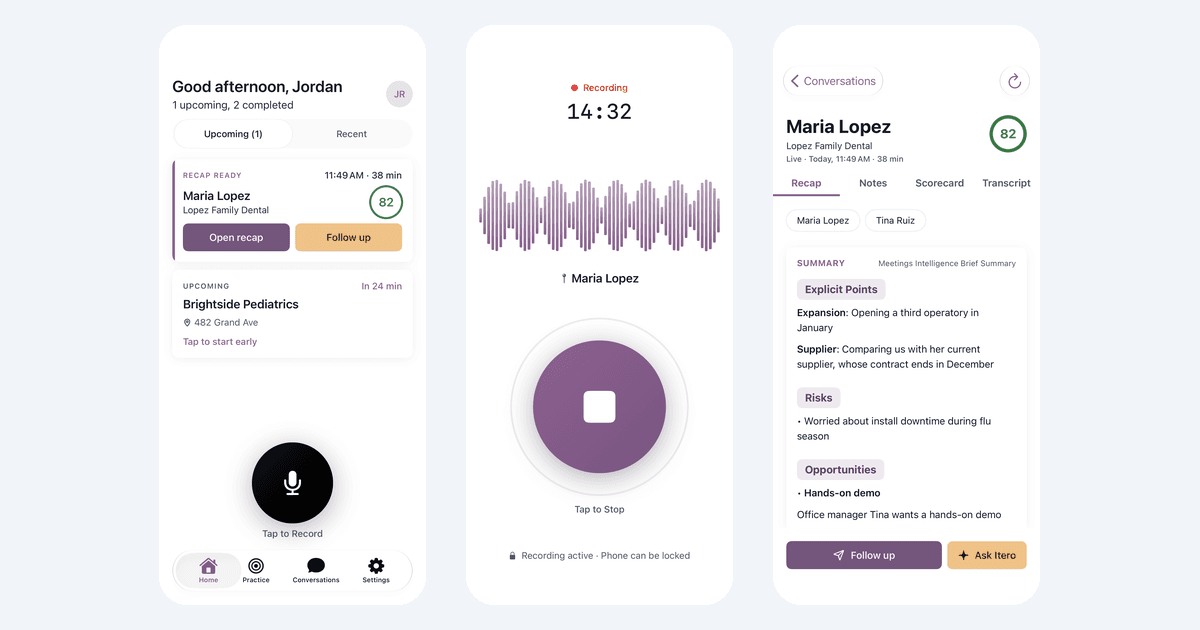
A virtual ride-along for medical device sales is a manager's review of a rep's conversation with a clinician or buyer, recorded on the rep's phone after everyone present agrees, so the manager can coach without a field ride. With Itero (iteroapp.ai), reps record in the Itero mobile app, each conversation is scored against the team's own scorecard in about two minutes, and reps rehearse with AI roleplay in the same app.
How it works in clinics and hospitals
- Step 1
Confirm consent
Recording can't start until the rep confirms everyone present agreed, and Itero keeps a timestamped record. The app never records automatically.
- Step 2
Record with one tap
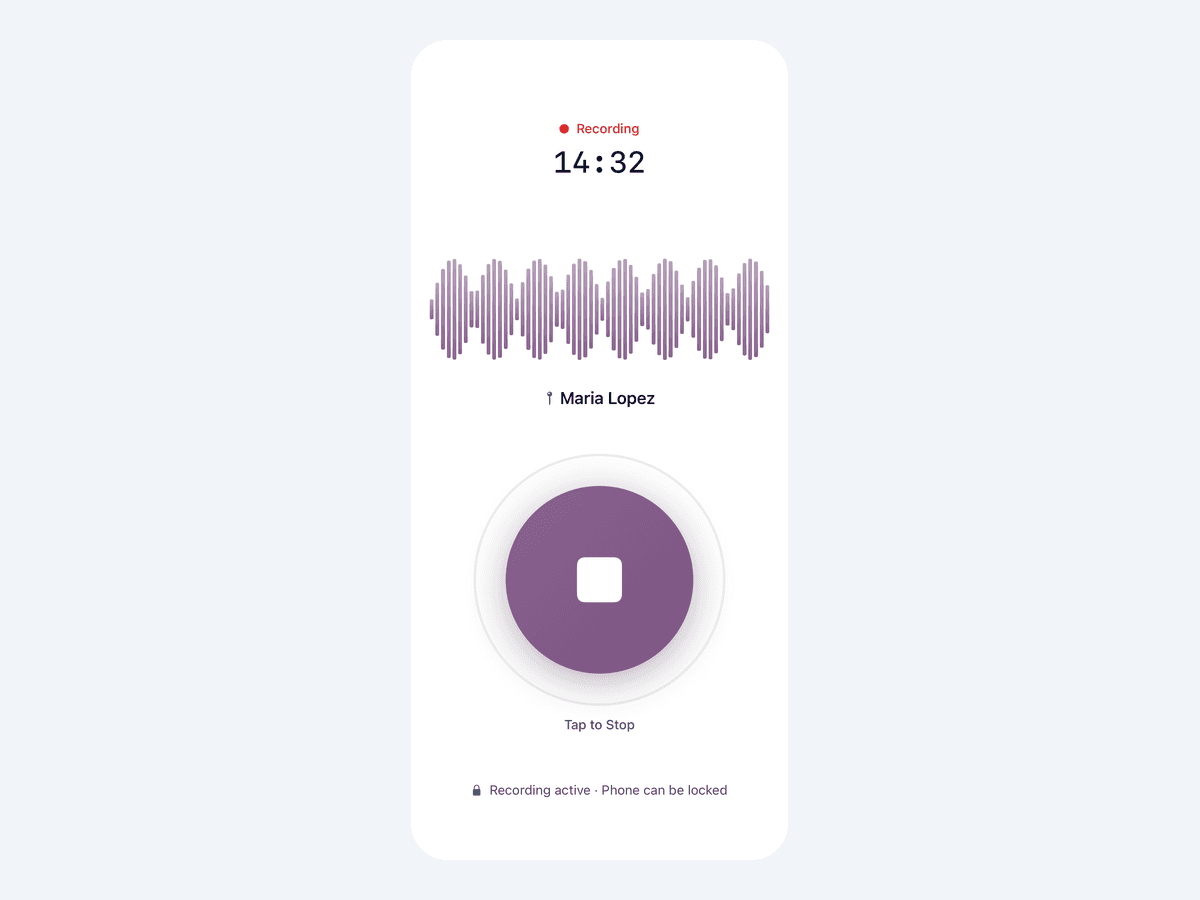
Reps record product discussions with surgeons, in-service sessions and purchasing meetings. Recording keeps going if the screen locks or a call comes in.
- Step 3
Scored in about two minutes
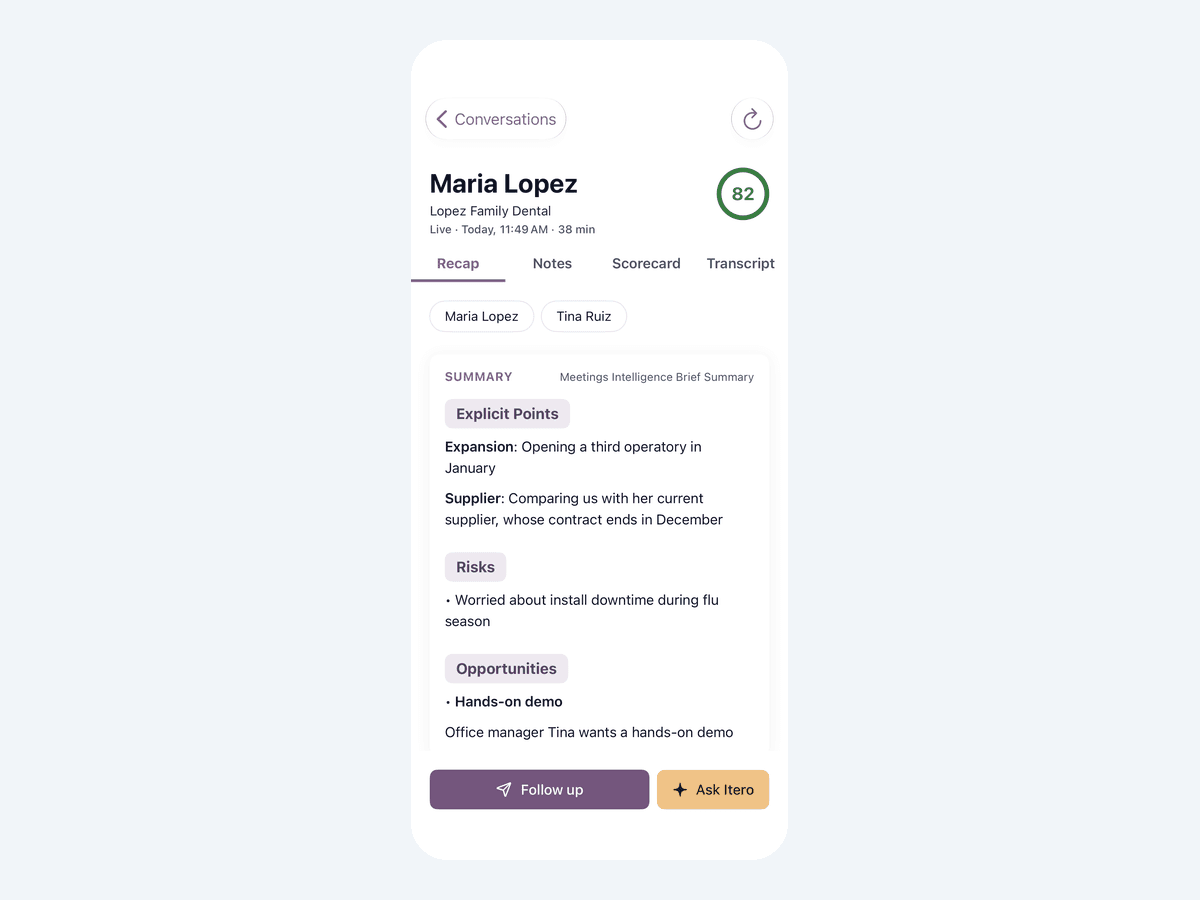
Each conversation is scored against your team's scorecard, with a recap, the transcript and a drafted follow-up to send by email, text or WhatsApp.
- Step 4
Rehearse the objections
Reps rehearse clinical-evidence, cost and competitive objections with AI roleplay, scored on the same scorecard as their recorded conversations.
See the mobile app in action
A walkthrough of the Itero mobile app for field teams: record an in-person meeting with consent, get notes, a summary, next steps and a drafted follow-up, ask about any moment, see how the meeting went, and practice with an AI customer.
What the video shows
Never forget what you said during a meeting
The Itero mobile app takes notes, summarizes and remembers every meeting for you
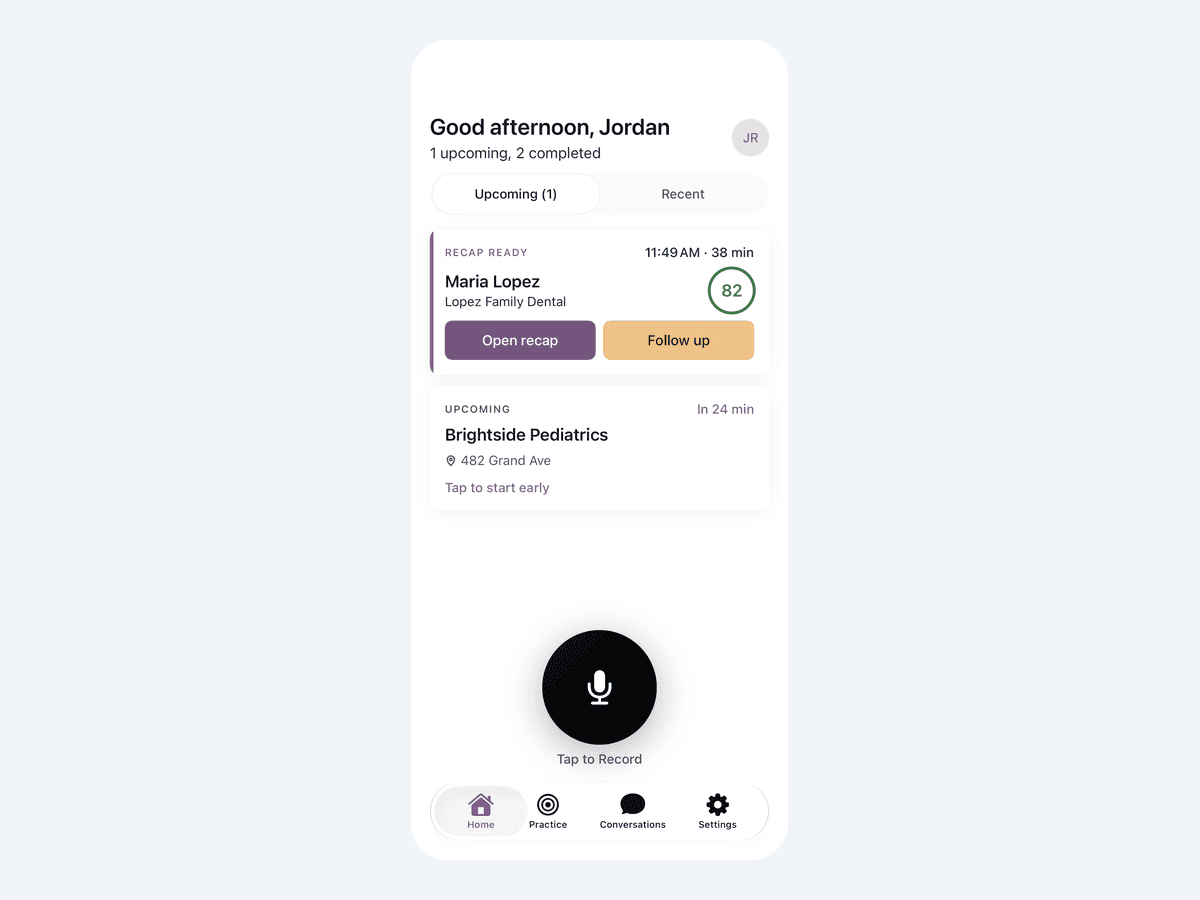
Your day at a glance
Today's meetings, and summaries that are ready to read.
Tap the mic when the meeting starts
Confirm everyone agreed to be recorded.
It takes notes for you
Put your phone away and focus on the customer. The app listens and writes it all down.
Tap Stop when you're done
Recording keeps going even with the screen locked.
Your summary is on its way
It's usually ready in about a minute.
Every meeting, summarized
What you discussed, what the customer cares about, and what happens next, written for you.
Never miss a next step
Who promised what, and by when.
Remember exactly what you said
Tap Ask Itero and ask about any moment in the meeting.
Ask in your own words
Type a question, or tap a suggestion.
“What did I tell her about financing?”
Answers come straight from the meeting.
Ask about any moment
What you said, what they asked, what you promised.
Add your own notes by voice
After a meeting, tap Add notes to this meeting.
Tap Dictate and talk
No typing in the car.
Itero types as you speak
Tap Stop dictating when you're done, then Save.
Your notes stay with the meeting
Find them anytime on the Notes tab.
Your follow-up is already written
Tap Follow up.
Review it and send
Email, text or WhatsApp. Edit anything, then tap Send.
See how the meeting went
Every meeting is scored, with coaching on what to do next time.
Hear the exact moment
Tap Hear it to play that part of the meeting.
Read every word
The full transcript, with timestamps.
All your meetings in one place
Recordings that haven't uploaded yet stay safe on your phone until they send.
Practice before the real thing
Role-play a conversation with an AI customer in the Practice tab.
Itero remembers every meeting
so you don't have to.
Record Clinic and Hospital Conversations, Consent First
The rep taps record in the Itero mobile app before a product discussion in a surgeon's office, an in-service session or a purchasing meeting.
- •Recording can't start until the rep confirms everyone present agreed
- •Dismissing the consent prompt counts as no, so it can't be skipped
- •Itero stores how and when consent was given with every recording
- •Recording keeps going when the screen locks, the rep switches apps or a phone call comes in
Every Conversation Scored Against Your Selling Model
Build a scorecard for the way your team sells, such as clinical discovery, presenting the evidence, handling objections and agreeing on an evaluation or next step. About two minutes after the rep stops recording, the rep and manager have:
- •A recap of what went well and what to work on
- •A score with a criterion-by-criterion breakdown
- •The full transcript, with each speaker labeled
- •A drafted follow-up to edit and send by email, text or WhatsApp
Coach a Spread-Out Territory From Your Phone
Regional managers review every recorded conversation on their phone and filter by rep. They can ask Itero questions about any conversation, such as which objections the surgeon raised or what the committee asked for next.
A field ride covers one rep on one day. A virtual ride-along covers every conversation a rep records, scored the same way every time, with no flight to the territory.
See Itero in action
Get a personalized demo and see how Itero can transform your team's performance.
Rehearse Surgeon and Committee Conversations
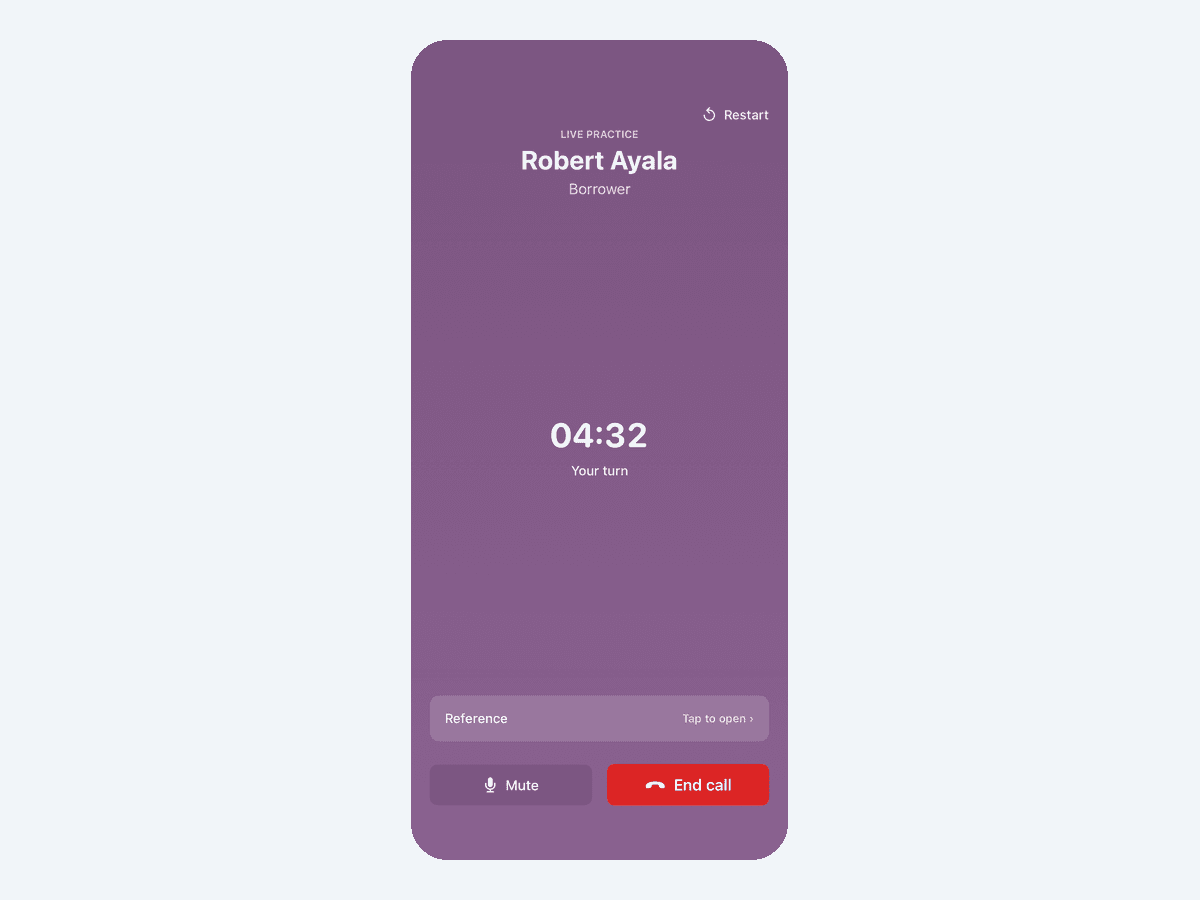
AI roleplay is in the same app. Managers assign scenarios for the skills a ride-along exposed, and reps can pick any scenario from the team's library.
- •Rehearse clinical-evidence questions, cost pushback and conversations about switching from a competitor's device
- •Practice launch messaging before the first account visit
- •Practice is scored on the same scorecards as recorded conversations
What reps record
Sales and training conversations with clinicians, staff and buyers, after everyone present agrees. Procedures and patient care stay out of recordings.
- Surgeon and physician discussions
- In-service sessions
- Value analysis committees
- Purchasing meetings
Consent rules by state
Consent rules vary by state, and hospitals and clinics set their own vendor policies. Itero's recording consent guide quotes each covered state's statute.
General information, not legal advice.
How does a virtual ride-along work for medical device reps?
- Before the conversation: the rep opens the Itero mobile app and confirms that everyone present agreed to be recorded.
- In the clinic or hospital: one tap starts recording, and it keeps going if the screen locks or a call comes in.
- About two minutes after it ends: Itero scores the conversation against your team's scorecard and returns a recap, the transcript and a drafted follow-up.
- Coaching: the regional manager reviews it on their phone and assigns AI roleplay for the step that slipped (AI Roleplay).
- The next conversation: the next recording shows whether the practice stuck.
For launches, reps can rehearse new messaging with AI roleplay before their first account visit (New Product Training).
What should medical device reps record?
Record sales and training conversations with clinicians, staff and buyers after everyone present agrees:
- Product discussions with surgeons and physicians
- In-service sessions that train clinical staff on a device
- Value analysis committee and purchasing meetings
Leave procedures and patient care out of recordings, and follow each hospital's or clinic's vendor policies as well as state law.
Do you need consent to record clinic and hospital conversations?
Consent rules vary by state. Some states let one participant consent for everyone; others require everyone's agreement, or require it only in certain conditions, such as a private conversation.
Itero handles its part the same way everywhere: recording can't start until the rep confirms everyone present agreed, and Itero keeps a timestamped record of that consent.
Itero's recording consent guide quotes each covered state's statute, including California, Massachusetts, Illinois, New York, Texas and Florida. This is general information, not legal advice; check with your own counsel about the states where you sell.
How does Itero compare with other ride-along tools for medical device sales?
Best for teams that value a mobile-first experience and want live call scoring and role play in one solution. Itero pairs consent before every recording with AI roleplay and live-call scoring on the same scorecards, in one app (Virtual Ride-Alongs).
Siro also lists medical devices among the industries it serves, as of October 2026. See Rilla alternatives for a sourced comparison of virtual ride-along tools, and Comparisons for AI roleplay platforms.
Security & Compliance You Can Trust
SOC 2 Type 1 Attested
Independently verified security controls
Enterprise-Grade Security
End-to-end encryption and access controls
Compliance Ready
Built for regulated industries
Frequently Asked Questions
Virtual Ride-Alongs for Device Reps
What is a virtual ride-along for medical device sales?
It's a manager's review of a rep's conversation with a clinician or buyer, recorded on the rep's phone after everyone present agrees. In the Itero mobile app, the rep confirms consent, records with one tap, and the conversation is scored against the team's scorecard in about two minutes.
Which conversations do device reps record?
Sales and training conversations: product discussions with surgeons and physicians, in-service sessions with clinical staff, and value analysis committee or purchasing meetings. Procedures and patient care stay out of recordings.
What does the manager see?
The recap, scorecard, transcript and drafted follow-up for each conversation, minutes after the rep stops recording. Managers review the whole territory from their phone, filter by rep, and can ask Itero questions about any conversation.
Can reps practice for a product launch?
Yes. Managers build AI roleplay scenarios for the new device or indication, and reps rehearse the launch conversation in the same app before their first account visit, scored on the same scorecards as recorded conversations.
Consent, Facilities & Privacy
Is it legal to record conversations with clinicians?
This is general information, not legal advice. Consent rules vary by state: some let one participant consent, and others require everyone's agreement in some or all conditions. Itero's recording consent guide quotes each covered state's statute. Itero won't start a recording until the rep confirms everyone present agreed, and it stores how and when consent was given.
Do hospital vendor policies matter?
Yes. Hospitals and clinics set their own rules for vendor representatives, so follow each facility's policies as well as state law, and keep procedures and patient care out of recordings.
What happens to the audio?
Itero transcribes and scores it, and the audio is deleted from the phone 48 hours after upload. Itero's transcription provider doesn't train on your audio, and Itero is SOC 2 Type 1 attested.
App, Practice & Limits
Which phones does the mobile app work on?
iPhone (iOS 16 or later) and Android phones. Reps download the Itero mobile app from the App Store or Google Play and sign in with the Itero account their company provides. A network connection is needed to upload and score recordings.
How do reps practice what a ride-along uncovers?
With AI roleplay in the same app. Managers assign scenarios for the skills a ride-along exposed, or reps pick from the team's library, and practice is scored on the same scorecards as recorded conversations.
What doesn't Itero do yet?
It doesn't coach reps live during a conversation, and the mobile app is in English only. Itero pulls meetings and contacts from HubSpot and Zoho, and fields it extracts from calls sync to Zoho CRM automatically. It doesn't push notes or scores back to a CRM natively yet; for HubSpot or any other CRM, extracted fields are sent by webhook through Call Data Capture.
Sources
Retrieved November 8, 2026.
Ready to get started?
Join leading organizations using Itero to accelerate training, automate quality assurance, and drive measurable performance improvement.
Last updated: